


The DV-2027 entry form must be completed in Latin letters exactly as shown in your passport, with the date in U.S. format, a separate photo for every family member, and a $1 entry fee — and even though registration hasn’t opened yet, you can get everything ready now.
In short
- DV-2027 registration is set by court ruling to begin November 1, 2026, and will run for 30 days.
- Starting with DV-2027, the principal applicant needs a valid passport — the scan must be uploaded as a JPEG only.
- The entry fee is $1 for the whole family, and it’s not refunded if the entry isn’t selected.
- The photo must be no older than 6 months, with no retouching or cropping — otherwise the entry gets disqualified.
- Once you click Submit, the name, last name, date, and place of birth can no longer be corrected.
When Does DV-2027 Registration Open
As of October 17, 2026, according to court proceedings, the U.S. State Department must announce the registration dates and entrant requirements no later than October 29, 2026 — these dates could still change before the official announcement.
- November 1, 2026 — the registration start date set by the court ruling; the State Department has not yet issued an official announcement, so this date could shift. The entry period runs for 30 days.
- No later than December 3, 2026 — selected entrants are notified of the results.
- No later than September 30, 2027 — the final deadline by which all visas under the program must be issued.
Registration had not yet opened at the time this was written, but you can prepare ahead of time: make sure your passport won’t expire too soon, decide how you’ll pay the fee, and get a photo that meets the form’s requirements.
Key DV-2027 Dates
Registration and visa issuance deadlines set by the court ruling.
- State Department announces dates and requirementsno later than October 29, 2026
- Registration opensNovember 1, 202630-day entry period
- Selected entrants notifiedno later than December 3, 2026
- Final visa issuance deadlineno later than September 30, 2027
While registration isn’t open yet, check your passport’s expiration date, decide how you’ll pay the fee, and get a compliant photo ready — it’ll save time once things open.
Personal Details: Name, Date and Place of Birth
Your first, last, and middle names go into the form in Latin letters — exactly as they appear in your passport. The surname goes in the Last name field, the given name in First name.
A patronymic is not entered on the form: in a passport issued in Cyrillic script, it isn’t transliterated separately, so there’s no field for it.
The date of birth is entered in U.S. format: month first, then day, then year. This is a frequent source of mistakes, since the order differs from what many applicants are used to.
In the City where you were born field, enter only the name of the locality — not the region, district, or any other administrative unit. If someone was born in a village or small settlement rather than a city, that exact name should be used, not the nearest district or administrative center — check your birth certificate to be sure.
If the locality has since been renamed, it’s recommended to list its current official name on the form. Keep proof of the renaming on hand in case questions come up later.
Country of Eligibility and Passport Requirements
In most cases, the country of eligibility is the applicant’s country of birth. Choosing a different country is allowed only in special cases — for example, claiming eligibility through a spouse’s or parent’s country of birth. Where the applicant currently lives has no bearing on the country of eligibility.
Starting with DV-2027, the form includes a new passport section. The principal applicant — the person submitting the entry — needs a valid, unexpired passport. The form asks for the name exactly as it appears in the passport, the passport number, its expiration date, and the issuing country. The passport scan must be uploaded as a JPEG — the system will not accept a PDF.
Children listed on the form don’t need their own passport at this stage — a birth certificate is enough. But it’s worth planning ahead: when a child’s passport is eventually issued, the transliteration of their name may differ from how it’s spelled on the birth certificate — the same name can be rendered with different letters. It’s best to settle this in advance so the spelling on the form matches the future passport.
Photo Requirements for the Entry Form
- The principal applicant’s photo must be attached in the entrant photograph field — the entry won’t be accepted without it.
- The photo must have been taken no more than 6 months before submission, against a plain, light-colored background.
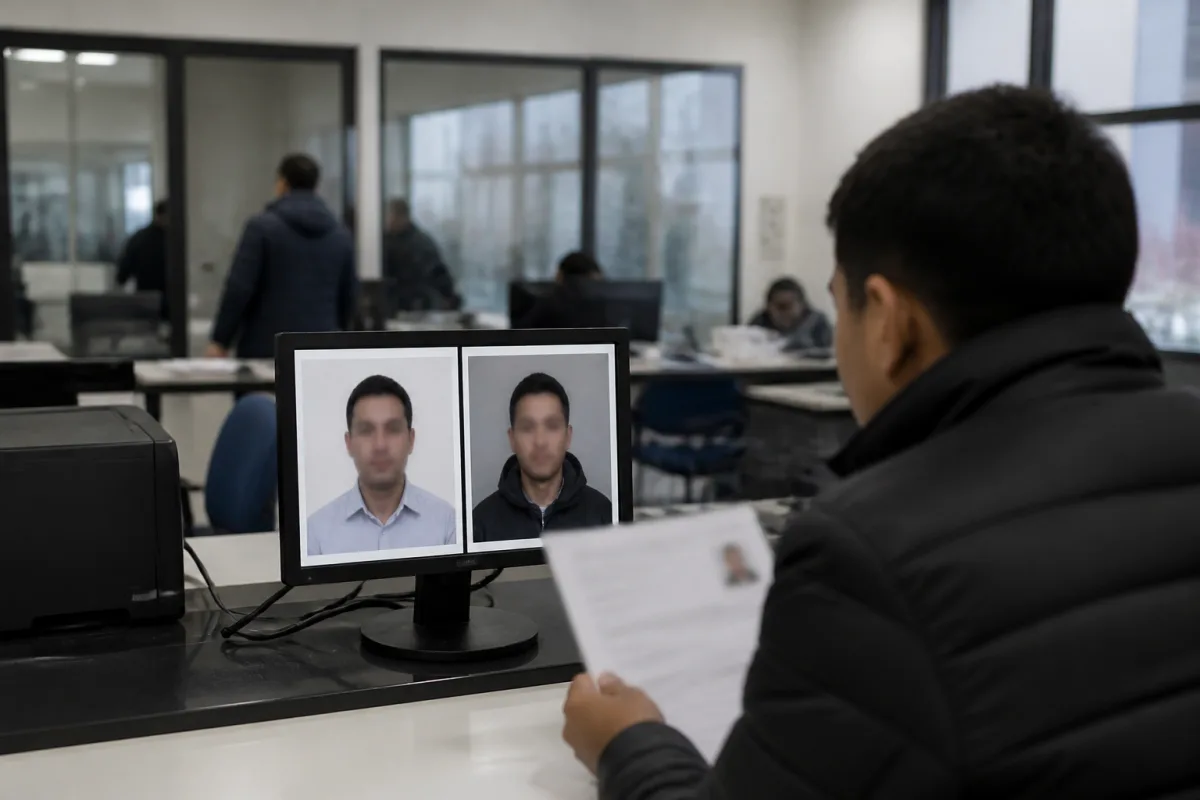
- No edits are allowed: ears and eyes must be fully visible, and the photo cannot be cropped or retouched — violations of these requirements are a common reason entries get disqualified.
- Technical compliance can be checked on the official website: there’s a tool that lets you upload the photo, and it tells you right away whether it meets the standard.
- Every family member — spouse, children — needs their own separate photo, taken under the same rules: no older than 6 months, 600×600 pixels.
- Photo requirements are identical for every person on the form, whether they’re the principal applicant or a family member.
violations of these requirements are a common reason entries get disqualified
Any cropping or retouching, or hidden ears or eyes, is a common reason entries get disqualified. The photo must be no older than 6 months.
Contact Details: Address, Phone, Email
The mailing address is entered in Latin letters: street name, house and apartment number, city, region, postal code, and country. Fields marked optional can be left blank — this applies to the phone number, and in the address block, optional means it’s up to the applicant whether to fill it in.
The country of residence field asks not for citizenship but for where the applicant actually lives on an ongoing basis right now — for example, a Russian citizen who permanently resides in Uzbekistan or Georgia lists Uzbekistan or Georgia as the country of residence.
Email is a separate, critical point: only list an address you’ll have reliable access to for a long time, and don’t lose the password to it.
The State Department does not email winners about lottery results — the result has to be checked independently on the official website. An email that says ‘Congratulations, you’ve won’ should be treated as a scam: the State Department does not send official winner notifications by email.
An email that says ‘Congratulations, you’ve won’ should be treated as a scam
The State Department never emails winners — check results only on the official website. An email saying ‘Congratulations, you’ve won’ is a scam.
Education and Marital Status
Entering the lottery requires a completed secondary education equivalent to a U.S. high school diploma. If that’s not available, there’s an alternative: 2 years of work experience within the last 5 years in an occupation that requires at least 2 years of training.
A ten-year general secondary school is accepted as the equivalent of a U.S. high school — the schooling doesn’t have to last 12 years. Whether an occupation meets the requirement is checked against the O*NET database: the job title listed on the form has to match that classification’s criteria.
Marital Status
The Current marital status field asks for your actual status at the time you fill out the form. Options include married (including if the spouse is neither a U.S. citizen nor a resident), divorced, widowed, and a separate legally separated status — a legally documented separation, which must be selected if it applies.
Living apart without paperwork doesn’t count as a divorce. If there’s no official document confirming a divorce or legal separation, the status on the form is recorded as married — even if the couple has in practice not lived together for a long time. It’s worth double-checking your exact official status before filling in this field.
Which Children Must Be Listed on the Form
Every biological and adopted child of the applicant must be listed on the form — this is a mandatory requirement. A spouse’s children are also added, as long as they’re unmarried and under 21.
The most common mistake after the photo is failing to list every child. The rule is simple: a child is included even if they don’t live with the applicant — for example, after a divorce, when the children stayed with the ex-spouse. The only criteria are that the child is unmarried and under 21; whether they plan to move to the U.S. with the applicant or not makes no difference.
- A child’s name must be entered exactly as it appears in their passport — don’t improvise your own transliteration.
- For each child, you need to enter their date of birth, sex, and city and country of birth.
- Every child listed needs their own separate photo for the State Department — if the child doesn’t live with the applicant, it’s worth requesting that photo from the other parent well in advance.
How Much the Entry Costs and How to Pay
The entry fee is $1. It’s paid once per entry: if a spouse and child are included, there’s no extra charge for them — the applicant and their family pay the same $1 total.
Payments are accepted via Visa, Mastercard, Discover, and American Express, as well as through PayPal and Venmo — American Express is listed as a payment method right on the sample form. How payment through PayPal and Venmo will work technically hadn’t been clarified at the time this form was reviewed, but State Department documents list both services among the approved payment methods.
The Account holder field asks for the details of whoever is actually paying, not whoever is filling out the form. If the applicant is using their own card, they enter their own name. If a relative or friend is paying, that person’s name goes in this field instead of the applicant’s. The address tied to the payment card also needs to be entered separately — this field is worth paying close attention to.
The $1 entry fee covers only the submission itself. If the applicant is selected in the lottery, other costs follow: $330 for the green card itself, plus the cost of a medical exam. If an entrant isn’t selected, neither the $1 entry fee nor any other payments already made are refunded.

Submitting an entry costs $1 for the whole family. If the applicant isn’t selected, that dollar and any other payments already made are not refunded.
Special Notes for Uzbek Passports: the Kizi and Ugli Suffixes
In an Uzbek passport, the last name, first name, and patronymic are printed on a single line, and the form must be filled out strictly to match that entry. The last name goes in the Last name field, the first name in First name, and the patronymic — including the suffix — goes into that same first name field, since there’s no separate middle name field here: in the passport itself, all three components are already combined.
The State Department requires the first name, last name, and patronymic to be entered on the form exactly as printed in the passport, without abbreviation. For women, the suffix ‘Kizi’ is added to the patronymic; for men, ‘Ugli’ — this part is printed in Latin letters right in the passport and is considered part of the full name.
A common mistake is that applicants enter the first name and patronymic but cut off the ‘Kizi’ or ‘Ugli’ suffix, even though it needs to be entered in full — for example, ‘Rustam Kizi,’ not just ‘Rustam.’
A common mistake is that applicants enter the first name and patronymic but cut off the ‘Kizi’ or ‘Ugli’ suffix
After You Submit: The Confirmation Page and What Happens if You Win
- Before clicking Submit, go back to part one and part two and double-check the spelling of the name, as well as the date and place of birth — once the form is submitted, these fields can no longer be corrected.
- Right after submission, a confirmation page appears with a confirmation number — photograph it or take a screenshot.
- Save this page with the number without fail: without it, you won’t be able to check the results of the drawing later.
- If someone else is filling out the form on your behalf, ask them to forward you this exact page with the number — doing it yourself is the safer option.
- If you’re selected, don’t quit your job before the visa is actually in hand.
- For the same reason, don’t sell your house or apartment while the visa still hasn’t been issued.
- Decisions about moving and its timing should only be made once the visa is actually in hand — don’t plan further steps before that.
Even if you’re selected, don’t quit your job or sell your home before the visa is actually in hand — moving decisions come only after that.
What to Do Before and After Submitting the Entry
Frequently asked questions
Can a wife submit her own separate entry if she also wants to enter the lottery?
Yes, a spouse can submit her own separate entry as an independent applicant, rather than only being listed as a family member on her husband’s entry. If she enters separately, she’ll need to provide her own passport — unlike when she’s simply listed as a family member on someone else’s entry.
Do you need to upload a passport for a spouse and children when submitting the entry?
No, a passport isn’t required for a spouse or children — a birth certificate is enough for children. A passport is only mandatory for the principal applicant. If a spouse submits her own separate entry, her passport will then be required for that separate entry.



Comments
Reader experience is useful, but it is not advice: check the rules on the official site.
No account needed: click Sign in, type any name, and you are done.